Is This the Best iPad Screen Protector for Artists? Full Review. Looking for the best iPad screen protector for artists? Here’s my comprehensive, honest, and unpaid review of Astropad Rock Paper Pencil v3.
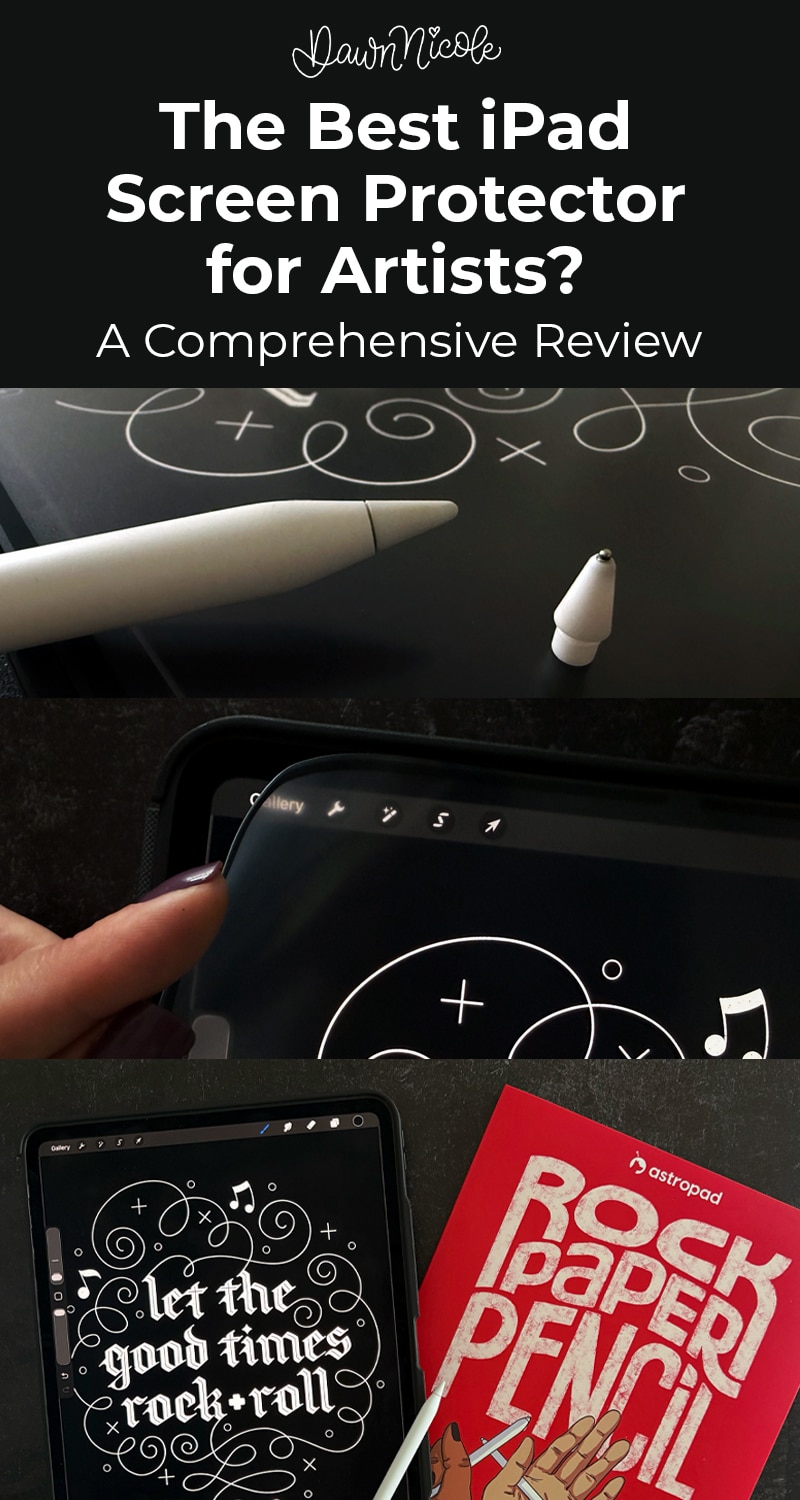
BEST iPad Screen Protector: REVIEW
Using an Apple Pencil on bare glass can feel more slippery than drawing in a real sketchbook. I’ve tested a lot of paper-feel options over the years, and today I’m sharing my honest, unpaid review of the Astropad Rock Paper Pencil v3 to see how it really performs for artists and letterers. I put it through real-world Procreate drills, slow-stroke practice, and everyday sketching so you can decide if this is actually the best iPad screen protector for artists or just another trendy upgrade.
Noteworthy
- I will compare it to the Paperlike Screen Protector in my final verdict.
- Historically speaking, I’m not a huge fan of screen protectors, and I have the nano-texture glass on my iPad. Considering this, I think you’ll find my review surprising!
- This is not sponsored or paid. I bought one on Amazon on a whim and decided to share my thoughts. Like, a lot of them.
This iPad screen protector claims a real paper feel.
I tested it for lettering and drawing.
Here’s the honest verdict.
What Artists Need in an iPad Screen Protector
- Paper-like texture vs smooth glass. A good iPad screen protector for artists adds subtle texture and resistance, so strokes feel controlled rather than slippery on bare glass.
- Pencil control and stroke accuracy. The surface should improve pencil grip and responsiveness so lines land where you intend, especially on slow curves and detailed lettering.
- Line wobble and drag. The right amount of drag helps reduce micro-wobble and shaky lines without making strokes feel heavy or scratchy.
- Nib wear considerations. Artists should consider how much friction the surface creates, since rougher textures can wear down Apple Pencil tips faster over time. Replacement tips are affordable and easy to replace, so this isn’t a big factor for me.
- Screen clarity and color impact. A quality protector should balance texture with visibility, minimizing grain and color shift so artwork still looks sharp and true.
What is the Astropad Rock Paper Pencil v3?
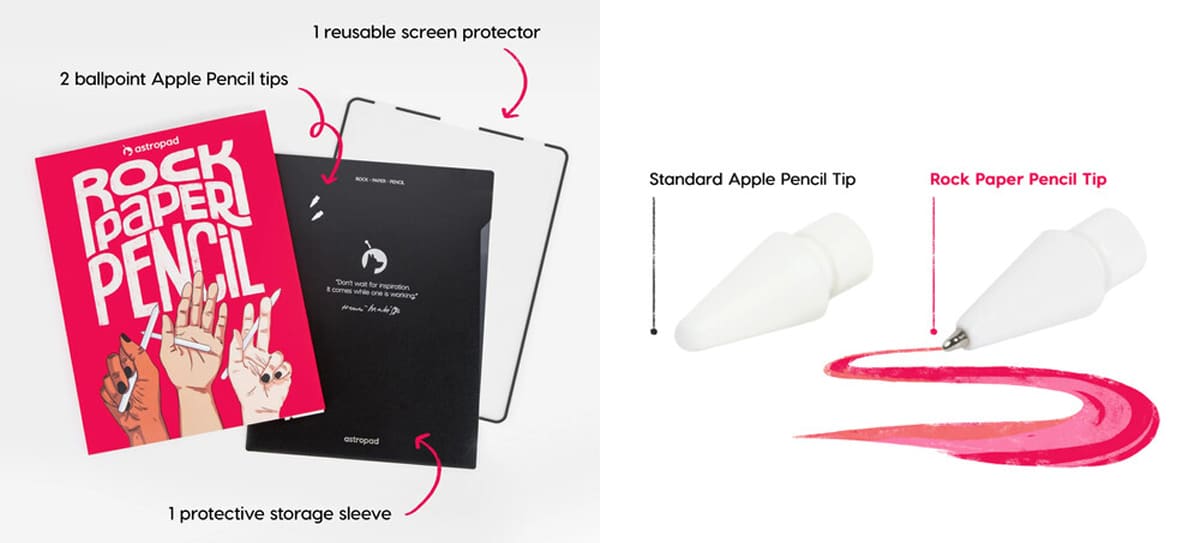
- Astropad Rock Paper Pencil v3 is an iPad screen protector and Apple Pencil tip system designed to be used together. The textured screen layer and the included pencil tips are engineered as a matched pair to create a more paper-like writing and drawing surface.
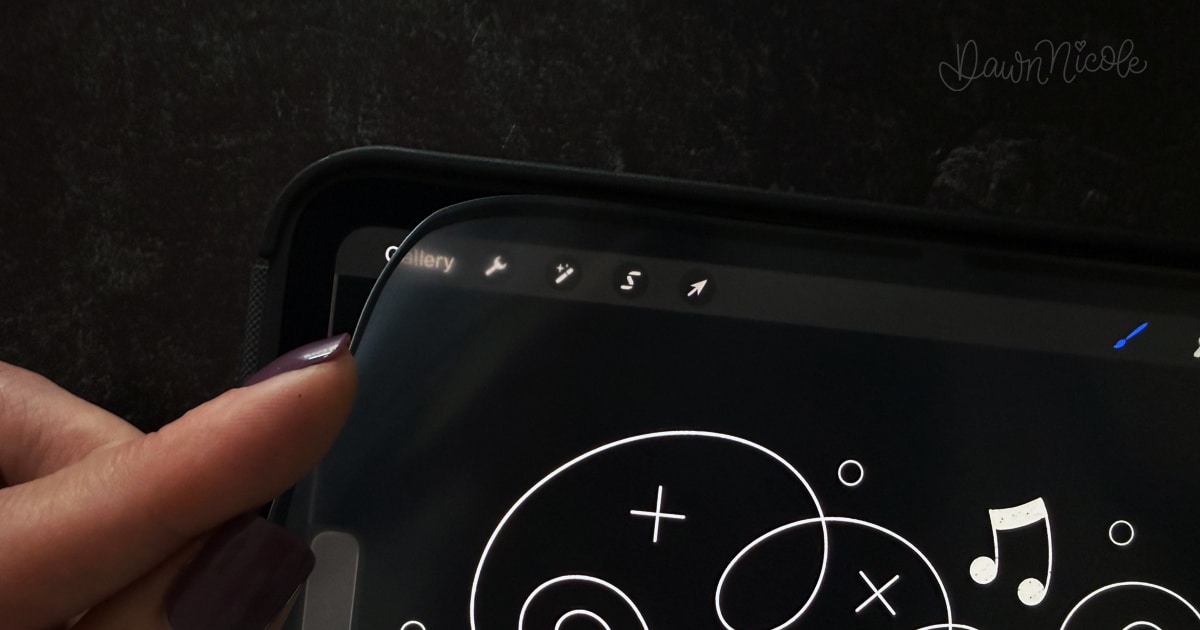
- It uses NanoCling technology, which attaches the screen protector using static cling rather than adhesive or magnets. This allows for secure placement, easy removal, repeat use, and residue-free application. The NanoCling border is thinner than typical magnetic borders, which helps the protector sit flatter on the screen with minimal edge ridge.
- The screen protector is compatible with the 13-inch iPad Pro M4 and M5 models and the 13-inch iPad Air M2 and M3 models. The included pencil tips are compatible with Apple Pencil 1st generation, 2nd generation, and Apple Pencil Pro.
- The protector is removable, so users can switch between a textured matte drawing surface and the original glass display depending on the task.
Installation Experience
- What comes in the box: reusable screen protector, 2 ballpoint pencil tips, protective storage sleeve, and a cleaning cloth
- Install difficulty level: It literally doesn’t get any easier. A kindergartener could do it. By far, the easiest screen protector install I’ve ever done.
- Bubble-free install rating: 10/10. I couldn’t believe it. The nano cling is magic. With other protectors, no matter how much prep I’ve done or how much time I’ve taken, I always end up with a bubble or two. Which drives my personality type insane.
- Time required: 5 seconds? Ok, I didn’t actually count, but it was unbelievably simple.
Rock Paper Pencil v3
Drawing & Lettering Test Results
In Procreate, I tested overall line control, brush lettering performance, and how consistently the screen surface responds to pressure changes. I also compared the texture feedback against bare glass to see how much resistance and grip it adds while drawing. Special attention was given to how the surface behaves during slow, controlled drills versus faster, more fluid strokes.
Results: It is grippier than I expected, especially compared to using the nano-texture glass alone since I got a new iPad a few months ago, but the more I tested and played with it, the more I liked it. And now, I never take it off!
Writing Feel vs Drawing Feel
I evaluated overall hand lettering performance with both script and monoline styles to see how the surface handles different stroke shapes and weights. I paid close attention to the balance between drag and glide to determine whether it provides enough resistance for control without slowing down natural movement.
Results: Drawing initially feels easier than calligraphy. The protector feels less fluid than no protector, but I’m also an over-gripper of the pencil. When I lightened up on my grip and pressure, things flowed more easily. There’s definitely an adjustment period. Once that’s over, it’s golden! 💛
Side note: I’m not someone who writes on my iPad for note-taking, but I can see how the combination of ballpoint pencil tips and a screen protector would be great for those who do.
Screen Quality Impact
Colors appear slightly more muted with it on than off, but I like the matte finish and reduced glare. It doesn’t bother me in the slightest, but I think this one boils down to personal preference.
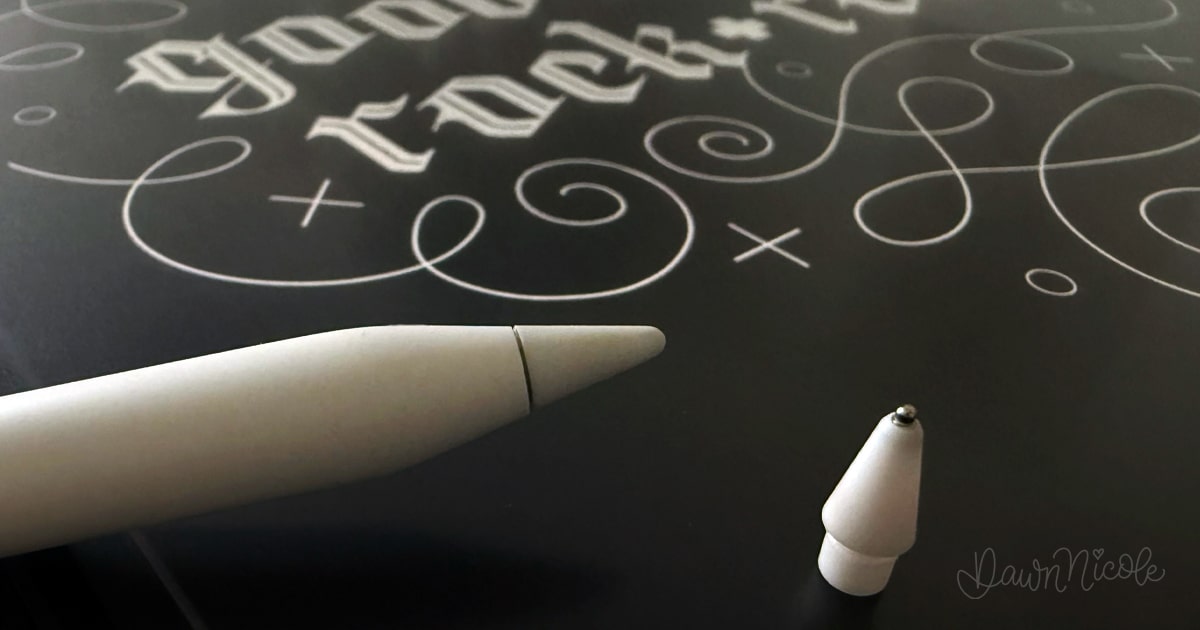
Apple Pencil Tip Wear
This one I’ll have to come back to after using it for a few months. Since replacement tips are fairly cheap and easy to replace, I’m not concerned about it, to be totally honest.
Pros and Cons
Pros
- Matte Finish. I’m a matte > glossy finish person in general.
- The Paper Sound. I LOVE IT.
- Bubble-free, easy application. This is probably the top pro for me!
- Reusable. Easy to remove and reapply.
I’ve taken mine off and put it back on repeatedly. Every time I put it back on, it takes 2 seconds, and there’s never a single bubble. What is this magic, Astropad?
Cons
- Slightly muted colors. But I think every screen protector does this to some degree.
- Cost. A bit pricey, but the value is there for the artist, especially with the reusability factor.
Neutral
- Includes ball-point tips. I see them being more beneficial for students, notetakers, or business-focused iPad use. I did like it for linework and monoline penmanship practice. As a lettering artist, I prefer the classic tips.
- Grippier than expected. It’s going to take some getting used to, but I ultimately think it will end up on my pro list.
Who This iPad Screen Protector Is Best For
- Lettering artists
- Illustrators
- Sketchers/Hobbyists
- Students
- Notetaking App Users
WHAT IF I HAVE NANO-TEXTURE GLASS ON MY IPAD?
If you’re using an Apple iPad Pro, you already have a built-in matte, anti-glare surface, so you don’t necessarily need one. I paid the extra to get the nano texture on my iPad and didn’t plan to use one. But after a few months using my new iPad, I ultimately decided to try one anyway. There are a few situations where adding one can still make sense, especially for artists and heavy Apple Pencil users.
Reasons You Might Still Use a Screen Protector
- Extra scratch protection. Nano-texture glass is more delicate than standard glossy glass. Apple even recommends special cleaning methods for it. If you travel, toss your iPad in bags, or work on the go, a protector adds a sacrificial layer.
- More drawing drag (if you want a stronger paper feel). Nano-texture provides mild resistance, but some artists prefer a grittier experience. A textured protector can increase friction and control for slow lettering strokes and sketch work.
- Replaceable surface vs permanent glass. If a screen protector gets worn or scratched, you replace it. If nano-texture glass gets damaged, that’s a much bigger (and pricier) problem.
- Oil and smudge management. This is my only gripe about the nano-texture. I have to clean it constantly, and it still shows smudges even right after cleaning. Not ideal for someone who films a lot of iPad video tutorials as I do. Some protectors resist fingerprints better than bare nano-texture glass, depending on the coating. I do find this to be true to the Rock Paper Pencil v3.
Reasons You Probably Don’t Need One
- You already have anti-glare + matte feel. Nano texture’s main benefit overlaps with paper-feel protectors. Adding another matte layer can be redundant.
- Image clarity matters to you. Stacking a textured protector on nano-texture glass can slightly reduce sharpness and contrast.
- You want the cleanest Apple Pencil response. Every added layer slightly changes the feel and precision. Many artists prefer the native nano-texture surface alone.
- Cost vs benefit may not justify it. You paid for the upgraded glass, and covering it can defeat part of the purpose.
How do I decide?
Should you get one if you already have nano-texture glass?
- Studio artist, careful with gear, likes the current feel → skip the protector
- Traveling artist, heavy daily use, wants more drag → consider a protector
- Lettering artist who prefers strong paper resistance → test one. If you want extra resistance, you’ll love it.
Final Verdict: Is This the Best iPad Screen Protector for Artists?
No buyer’s remorse here. I’m glad I got it and that it’s easy for me to take off or put on, depending on what I’m working on. The reusability feature is what sets it apart from other screen protectors. It’s thinner than I expected (in a good way).
It was far easier to install than the Paperlike or the no-name ones I’ve used in the past. While I loved the feel of the Paperlike, the installation always left me with a few annoying bubbles (even with their new butterfly install method). And you can’t take it on and off, so there’s that.
Final Verdict: Overall, I’m super impressed. Rock Paper Pencil v3 is easily the best screen protector I’ve tried.
Rock Paper Pencil v3
FAQs
Is a paper-feel iPad screen protector better for artists?
For most drawing and lettering artists, yes. A paper-feel iPad screen protector adds texture and resistance, improving control, reducing slippery strokes, and making it easier to place lines accurately.
Does a textured iPad screen protector wear down Apple Pencil tips faster?
Some matte protectors can increase nib wear due to friction. Higher-quality textured systems are designed to balance grip and durability, but artists who draw daily should expect to replace their nibs occasionally. Rock Paper Pencil comes with extra nibs.
Will an iPad screen protector affect screen clarity?
Textured protectors can slightly reduce sharpness and add a bit of grain compared to bare glass. Most artists find the control benefits worth the small visual tradeoff while drawing. (I do!)
Is this type of iPad screen protector good for lettering in Procreate?
Yes. Lettering typically benefits from added drag and stroke control, especially for slow curves, pressure transitions, and consistent line weight, especially after you get used to the grippier feel.
Can you remove and reapply iPad screen protectors?
That depends on the specific product design. Some are permanent installs, while others are removable or magnetic. Always check the manufacturer’s instructions before removing. Paperlike cannot be removed nor reapplied. The Astropad Rock Paper Pencil v3 is easy to remove and reapply, and that’s one of its top “pros” in my book.
HELFUL LINKS
- The Anatomy of Letters: An A-Z Guide
- Hand Lettering the Alphabet A–Z for Beginners
- Modern Penmanship Tips for Calligraphy and Lettering Lovers
Happy creating!